Shared a meal or a bill? Record it once, split it between people, and keep track of who has paid. It works whether you paid or a friend did.
Split a bill
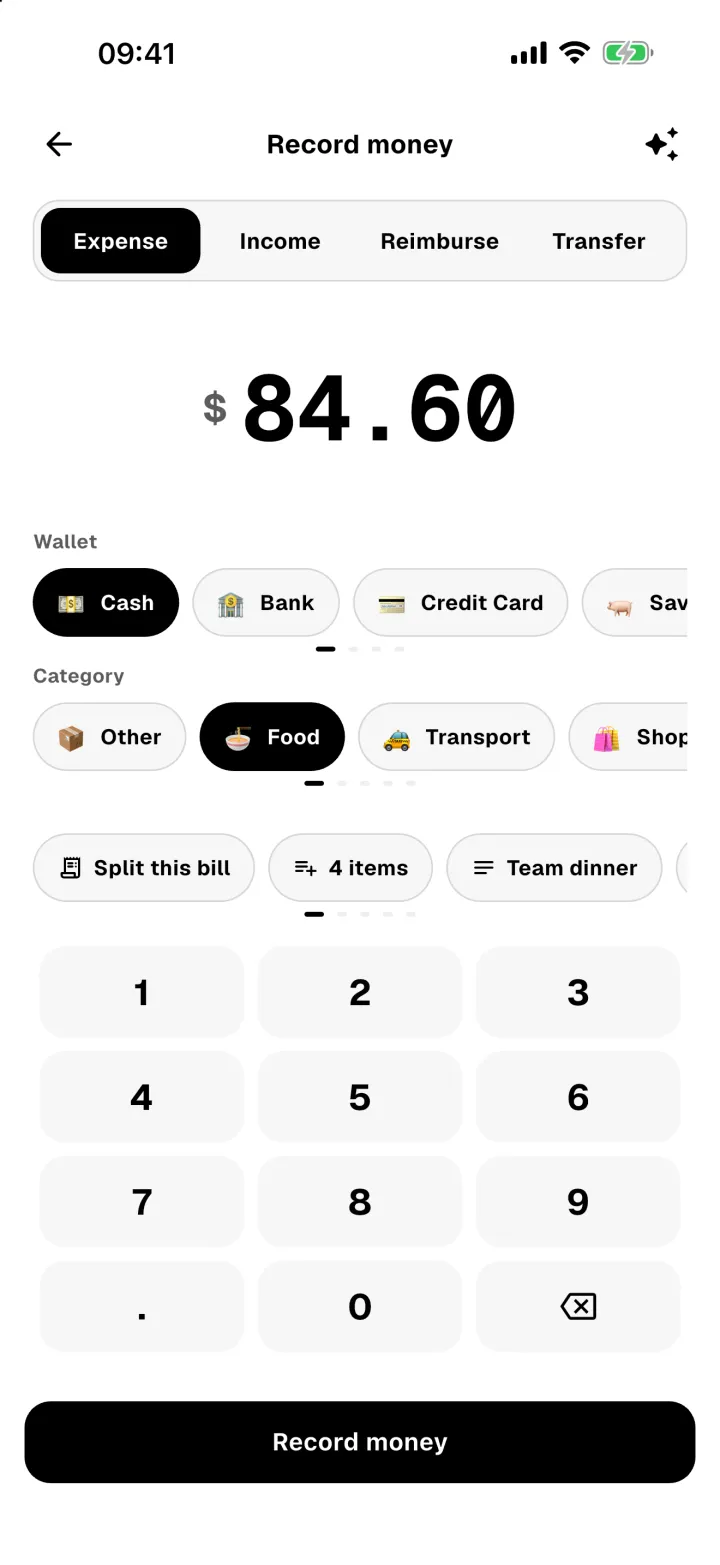
- Tap Split bill under Quick actions on Home (turn them on in Profile → Quick actions on Home). Scan the receipt so every item is listed, or start from the total. You can also record the expense as usual and tap Split this bill.
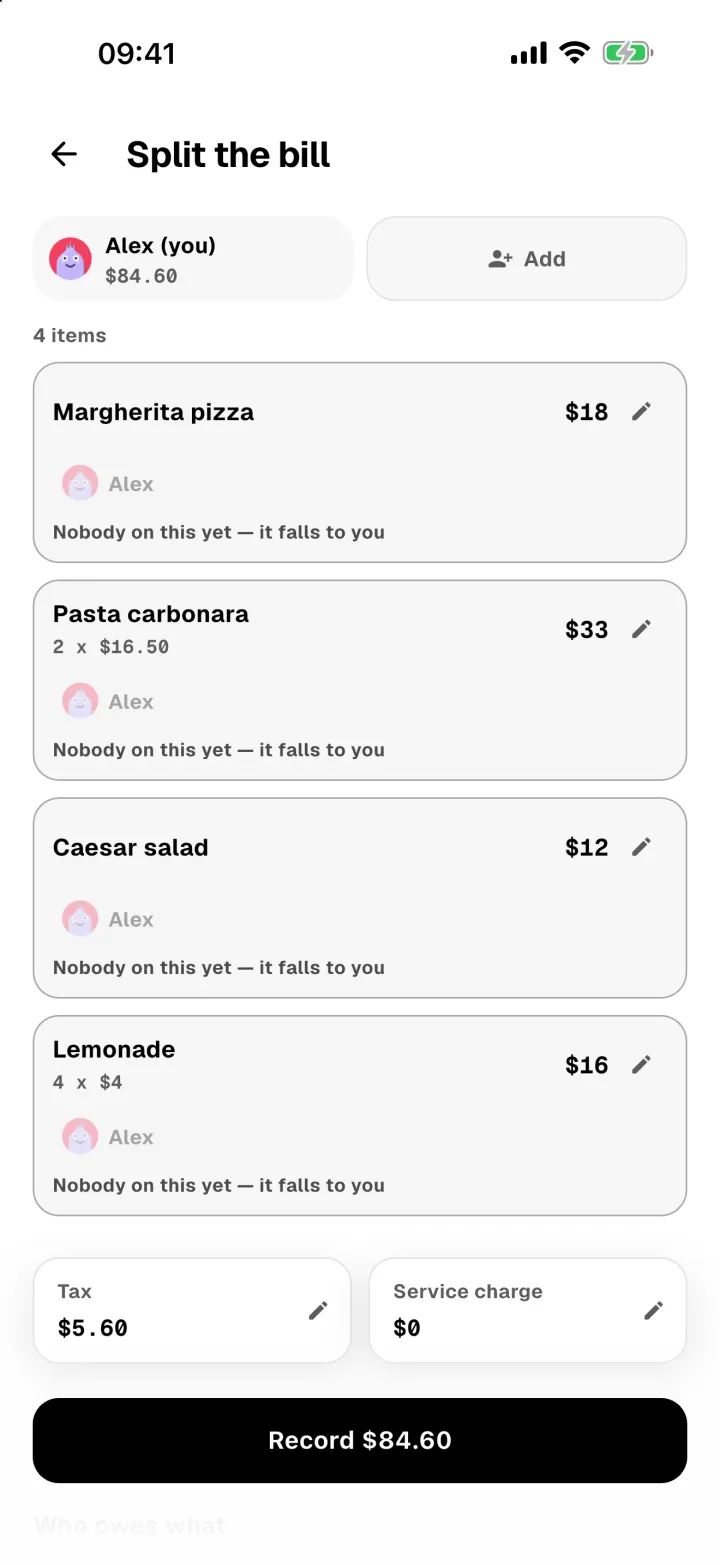
- Add or fix any items, then tap Continue to split.
- Tap Add to add the people you shared with.
- Under Who paid?, pick who paid the bill. It's you unless you change it.
- Tap each item to choose who had it. Anything nobody is on falls to whoever paid.
- Tax and service charge are shared out too, so people who ordered more pay a bit more.
- Tap Record to save the bill and everyone's share.
Who owes you
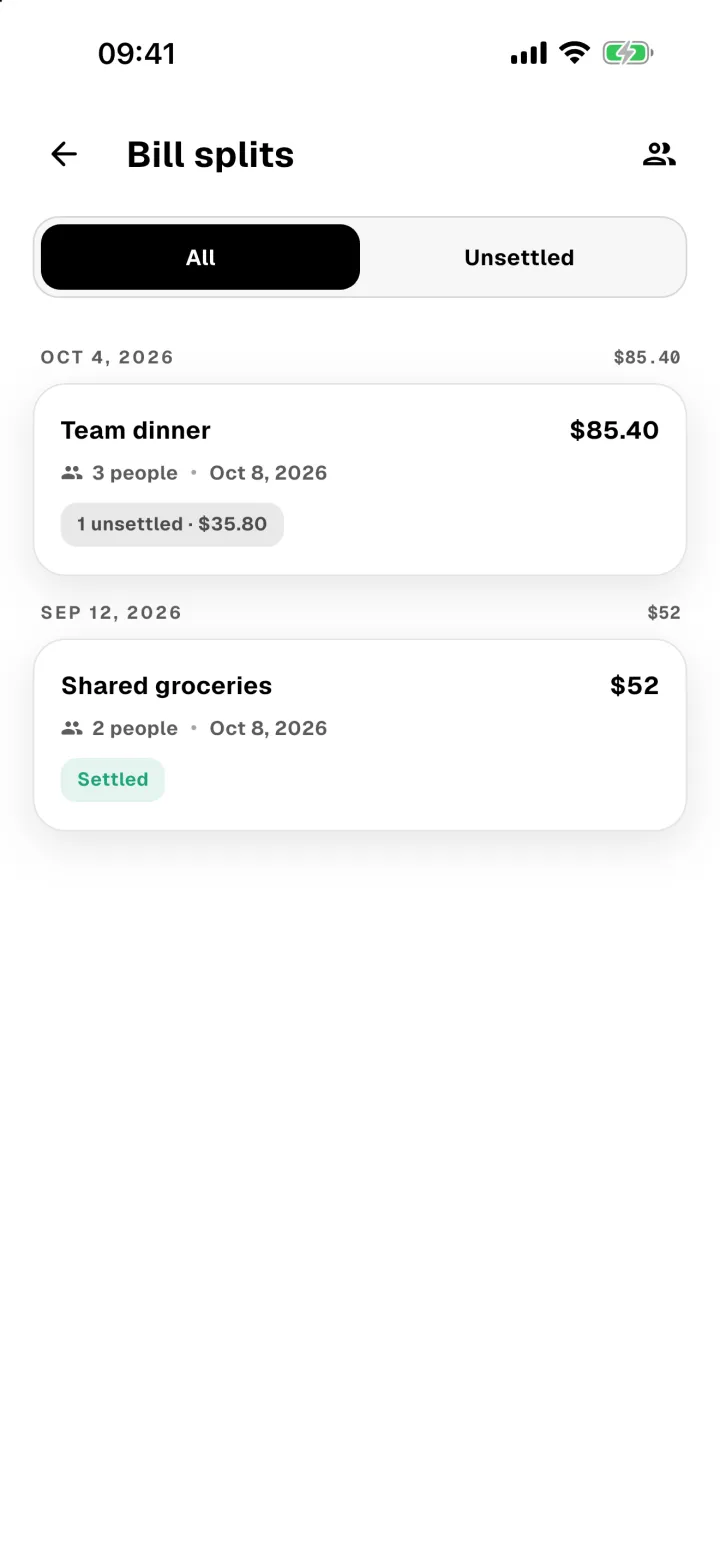
Open Profile → Bill splits to see every split, with what's still owed.
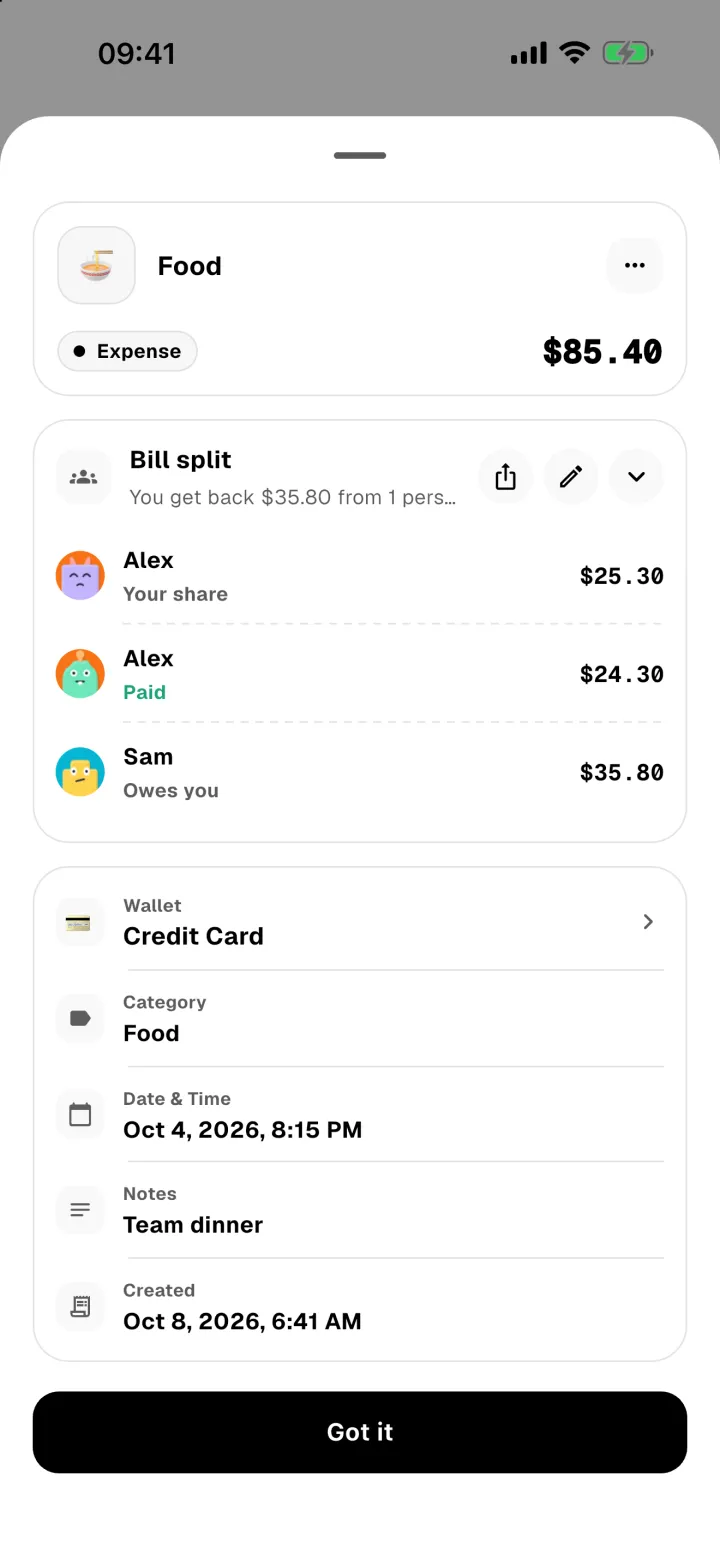
Open a split to see each person's share. When someone pays you, tap their row and choose Settle share. Panda records the money coming back as a reimbursement.
When a friend paid
Say Sam paid. Pick Sam under Who paid? and the button changes to Save · you owe your share. Nothing comes out of your wallets yet, because you haven't paid anything.
When you pay Sam back:
- Open the split from Profile → Bill splits.
- Tap Pay Sam back.
- Choose the wallet you paid from, check the amount and date, and tap Record payment.
Panda records your share as a normal expense in the bill's category, so it counts toward your spending limits. If you delete that expense, the split goes back to what you owe.
The others on the bill owe Sam, not you. Tap someone's row to show them Sam's payment QR with their amount filled in, or choose Mark as paid once they've paid Sam. Marking someone paid records nothing in your wallets.
Change who paid
Open the split, tap the edit icon, and pick someone else under Who paid?. Switching to you records the whole bill from a wallet you choose. Switching to a friend removes that expense.
Send a link
Tap the share icon on a split to send a link. Your friends can see what they owe without the app, tap I've paid, and in Thailand pay by PromptPay QR with their amount already filled in. Nothing changes until you confirm it in the app.
On a bill a friend paid, the link shows your friend's payment QR, and confirming I've paid only marks that person paid.