Reminders keep bills and regular payments from slipping. A reminder is a plan: nothing is added to your balance until you say it's been paid.
What's coming up
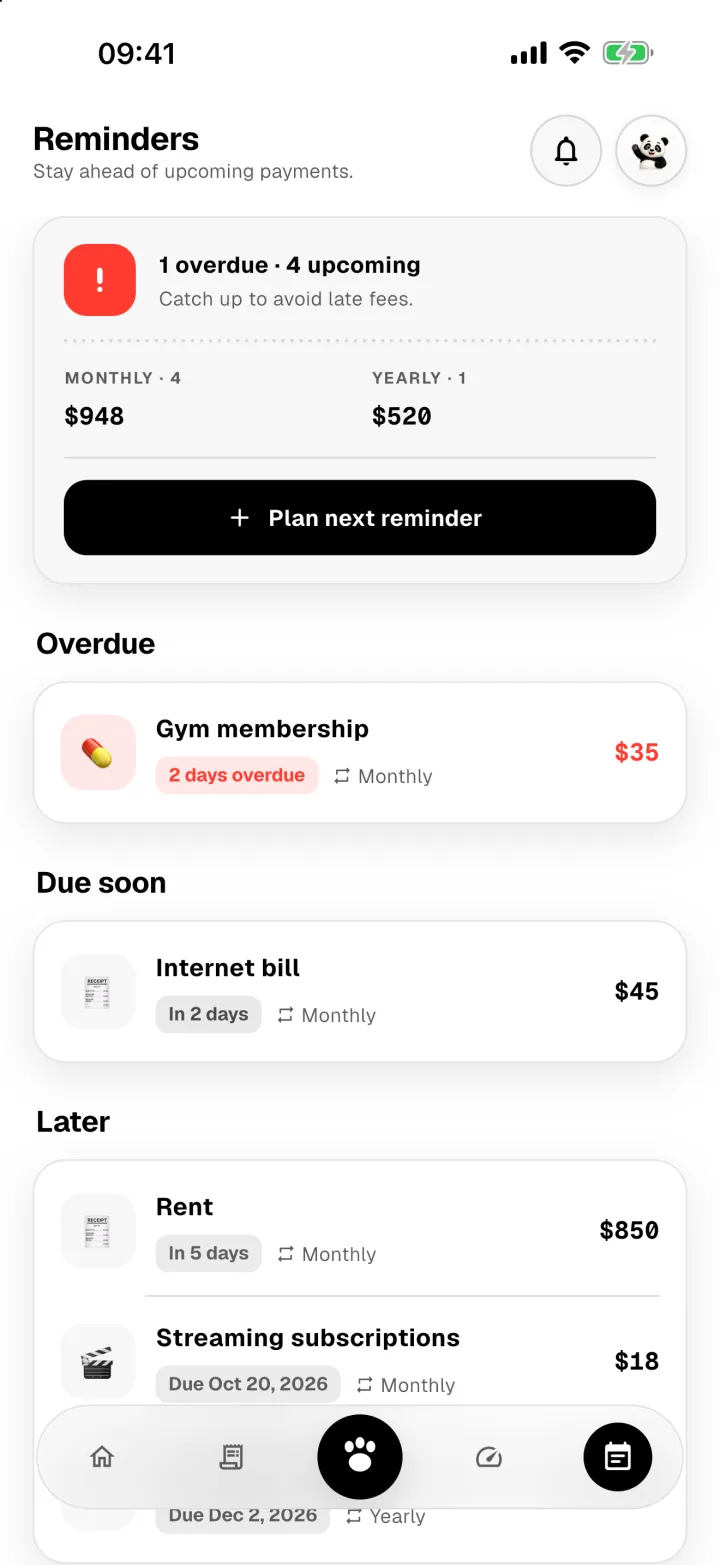
The Reminders tab shows anything Overdue first, then what's Due soon, then everything Later.
Add a reminder
- Tap Plan next reminder.
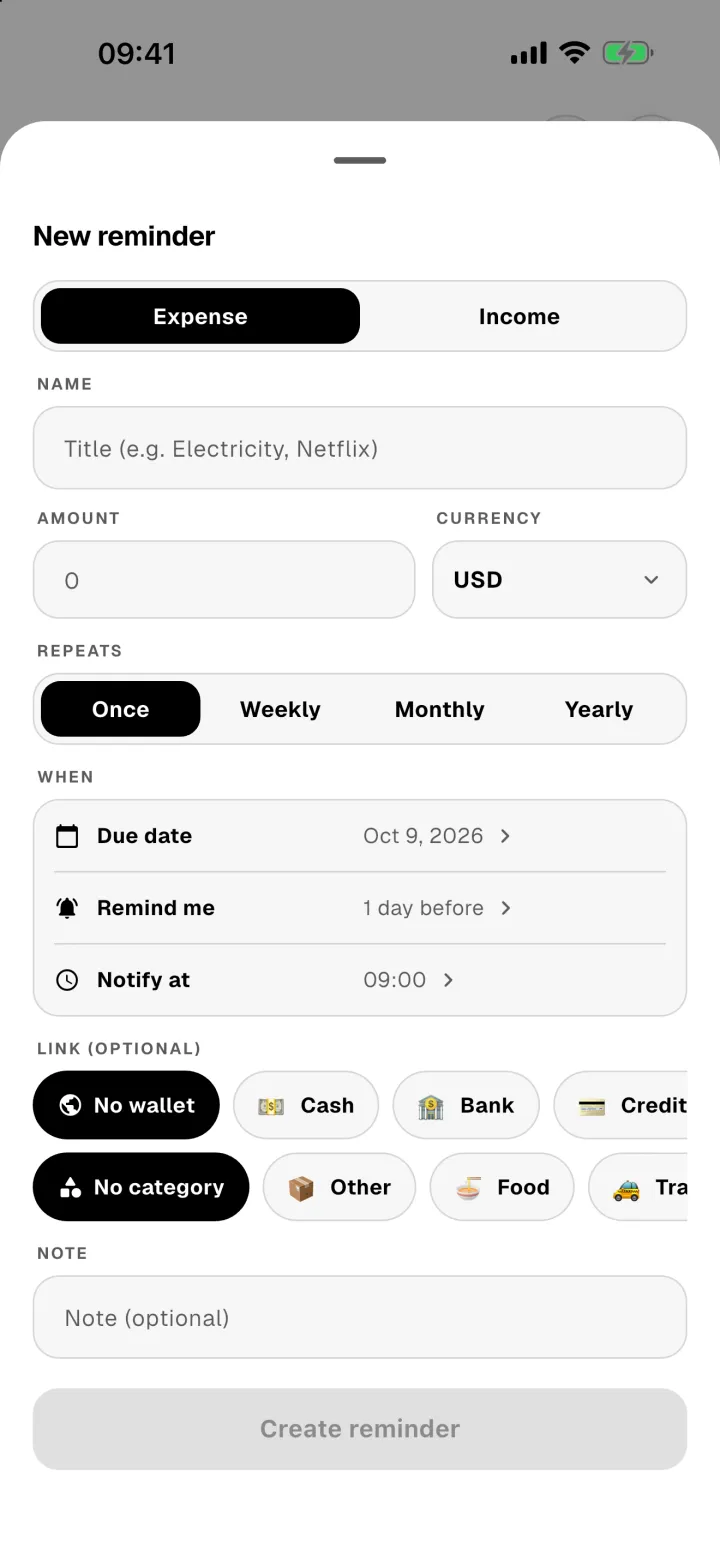
- Choose Expense or Income, and give it a name and an amount.
- Choose how often it repeats: once, weekly, monthly or yearly.
- Set the due date, how early to remind you, and the time of the notification.
- Optionally link a wallet and a category so recording the payment is quicker.
- Tap Create reminder.
When it's paid
Open the reminder and tap Create transaction. Panda Money records the payment for you and moves a repeating reminder on to its next date.