Take a photo of a receipt and Panda reads it for you: the total, every item, tax and service charge.
Scan a receipt
- On Record money, tap the sparkle icon in the top corner.
- Choose Camera to take a photo, or Gallery to pick one you already have.
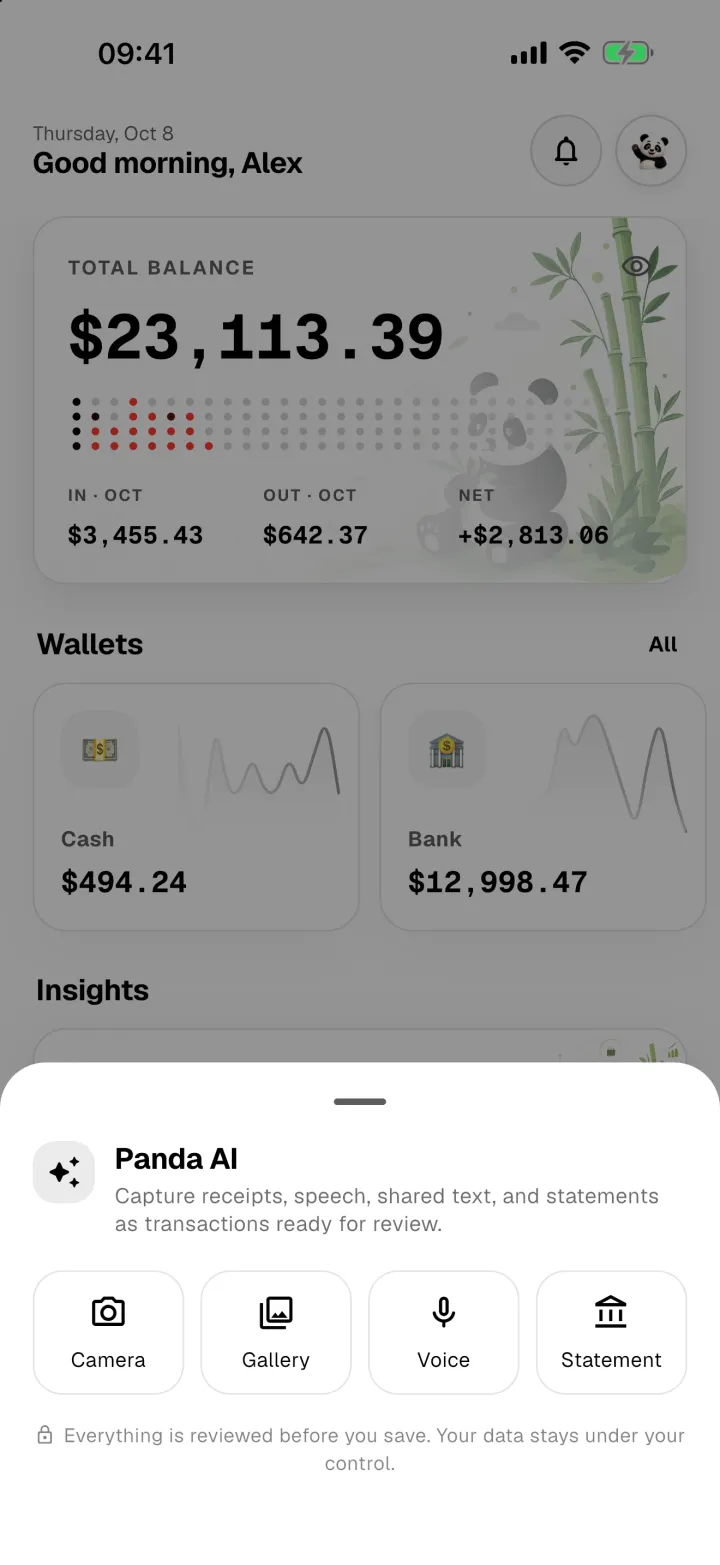
- Panda reads the receipt, then opens it for you to check. The amount, category, note and items are filled in.
- Fix anything that's not right, then tap Record money.
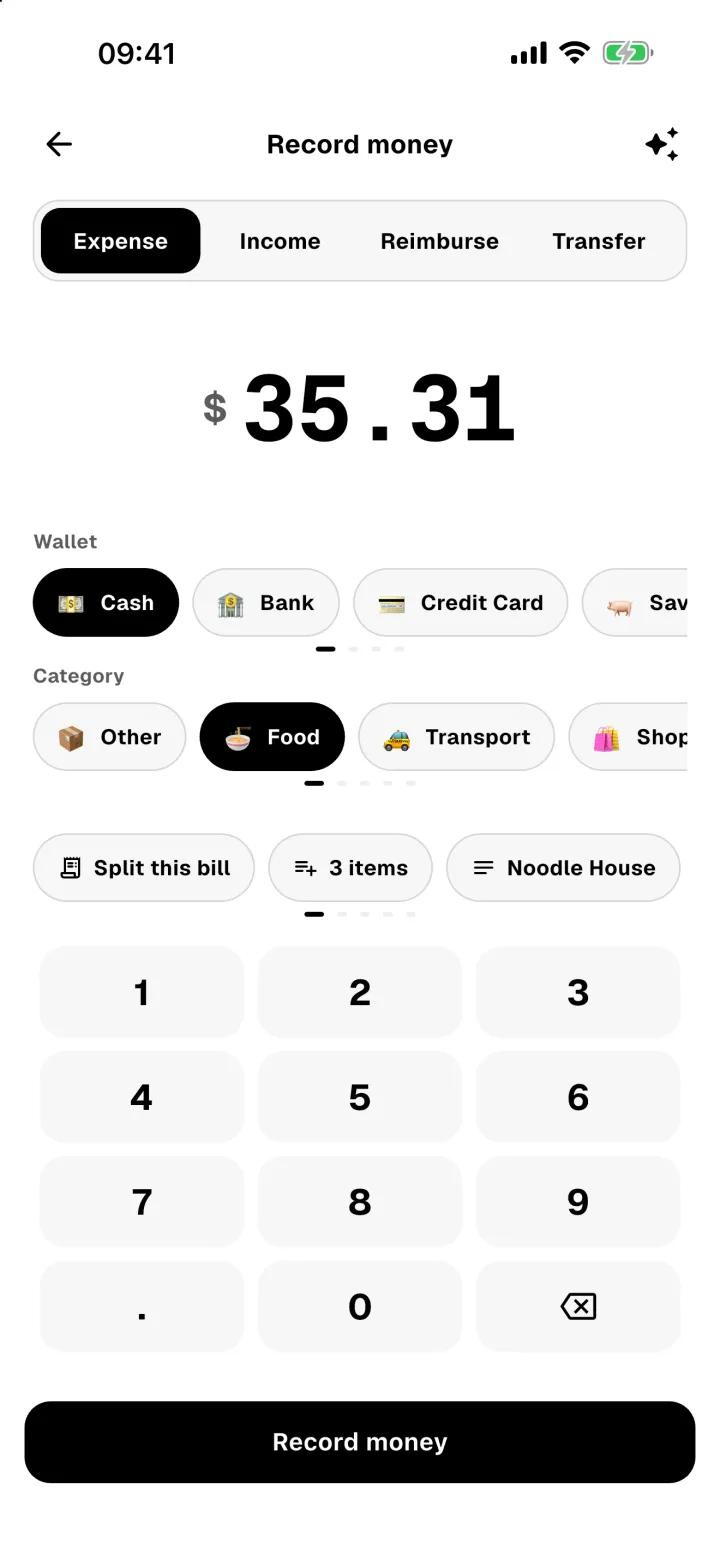
Nothing is saved until you tap Record money.
Bank statements
Choose Statement to import a PDF bank statement. Panda lists every transaction it finds, and you choose which ones to add. If the PDF has a password, you'll be asked for it.
Bamboo cost
Panda AI uses bamboo, charged only when it succeeds:
- Receipt scan: 10 bamboo
- Bank statement: 50 bamboo
See Earn and use bamboo.