A wallet is anywhere your money lives: cash, a bank account, a credit card or savings. Every transaction belongs to one wallet, so balances always add up.
See all your wallets
Open Profile → Wallets, or tap All next to Wallets on Home.
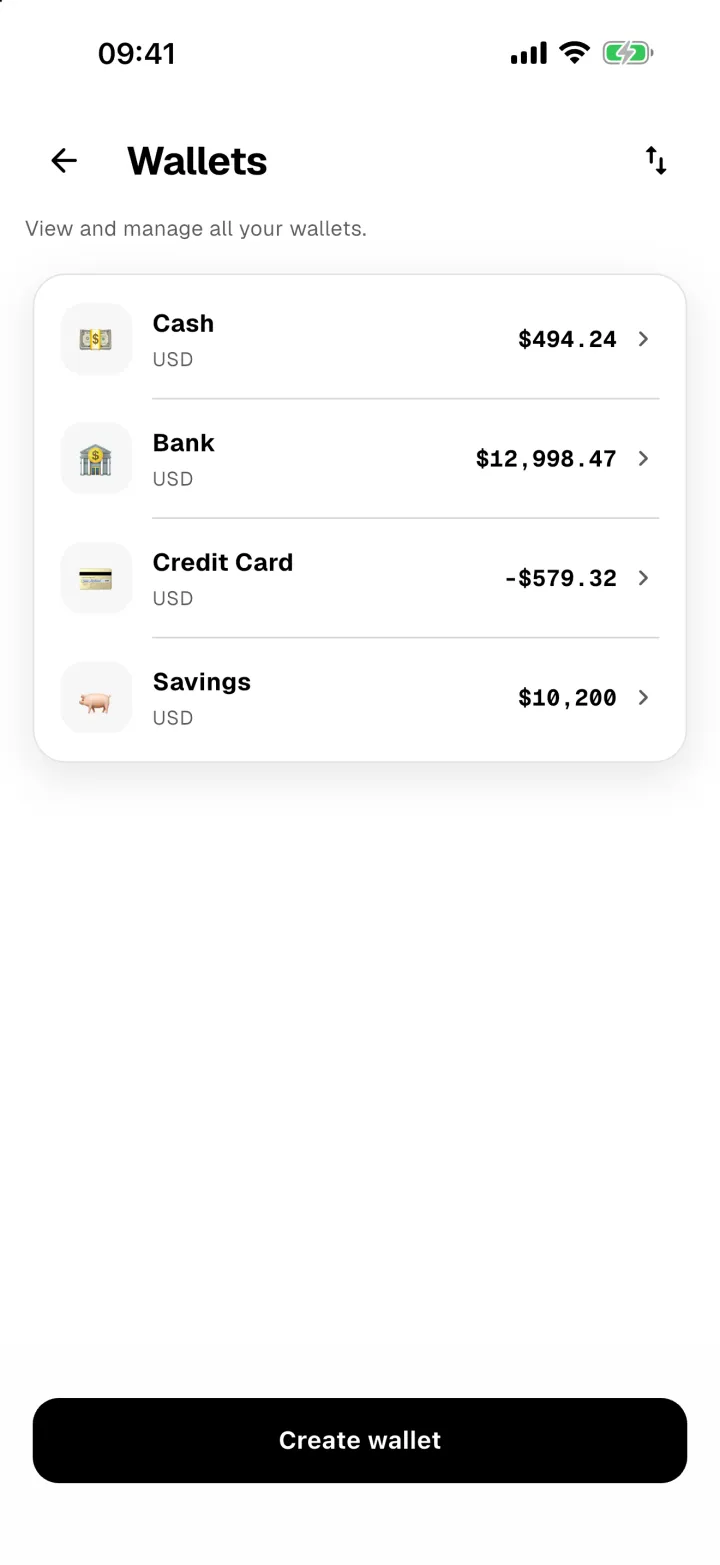
A credit card or loan with a negative balance shows in red. That's money you owe, and it's subtracted from your total.
Look inside a wallet
Tap a wallet to see its balance, a bar for each day of the last month, and every transaction in it.
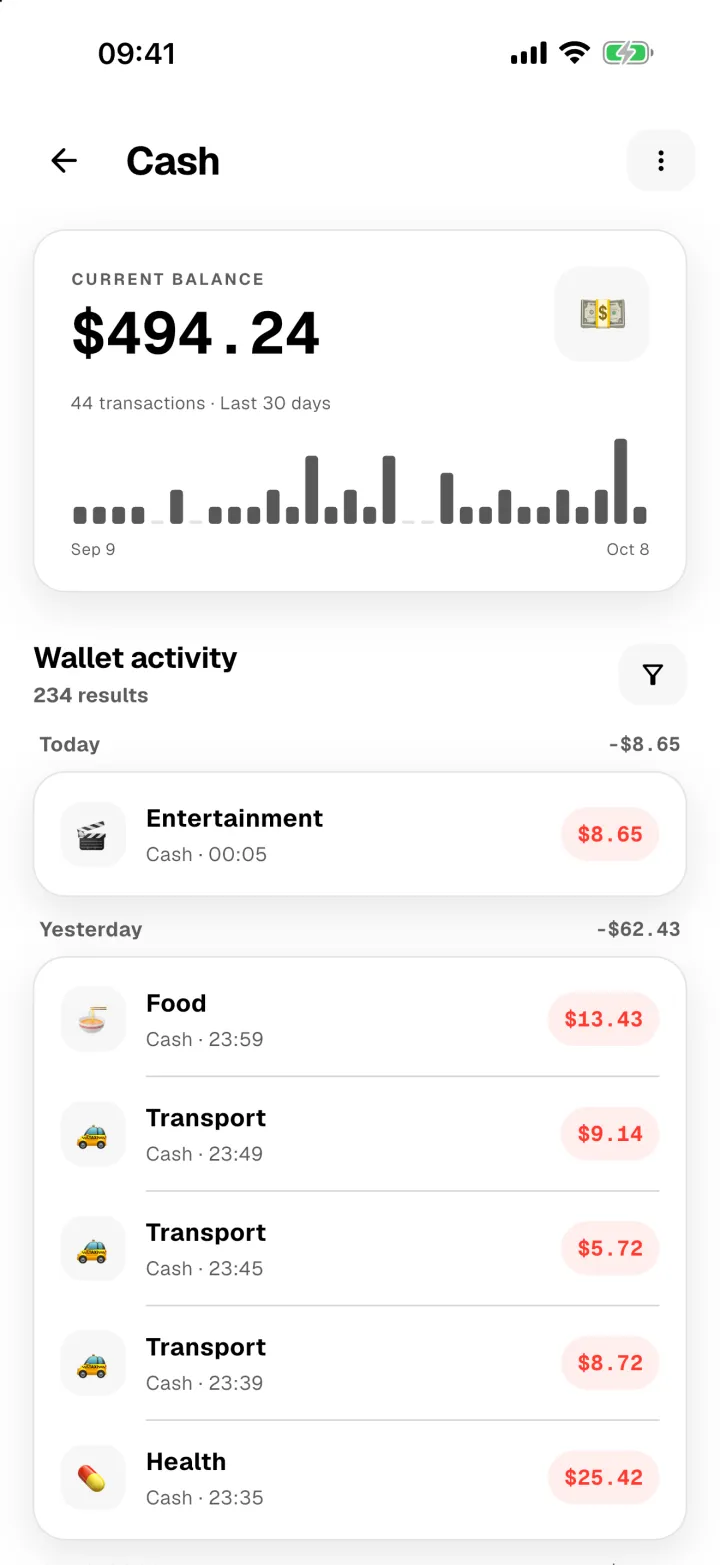
Tap ⋮ to edit the wallet, add a payment QR, or delete it.
Add a wallet
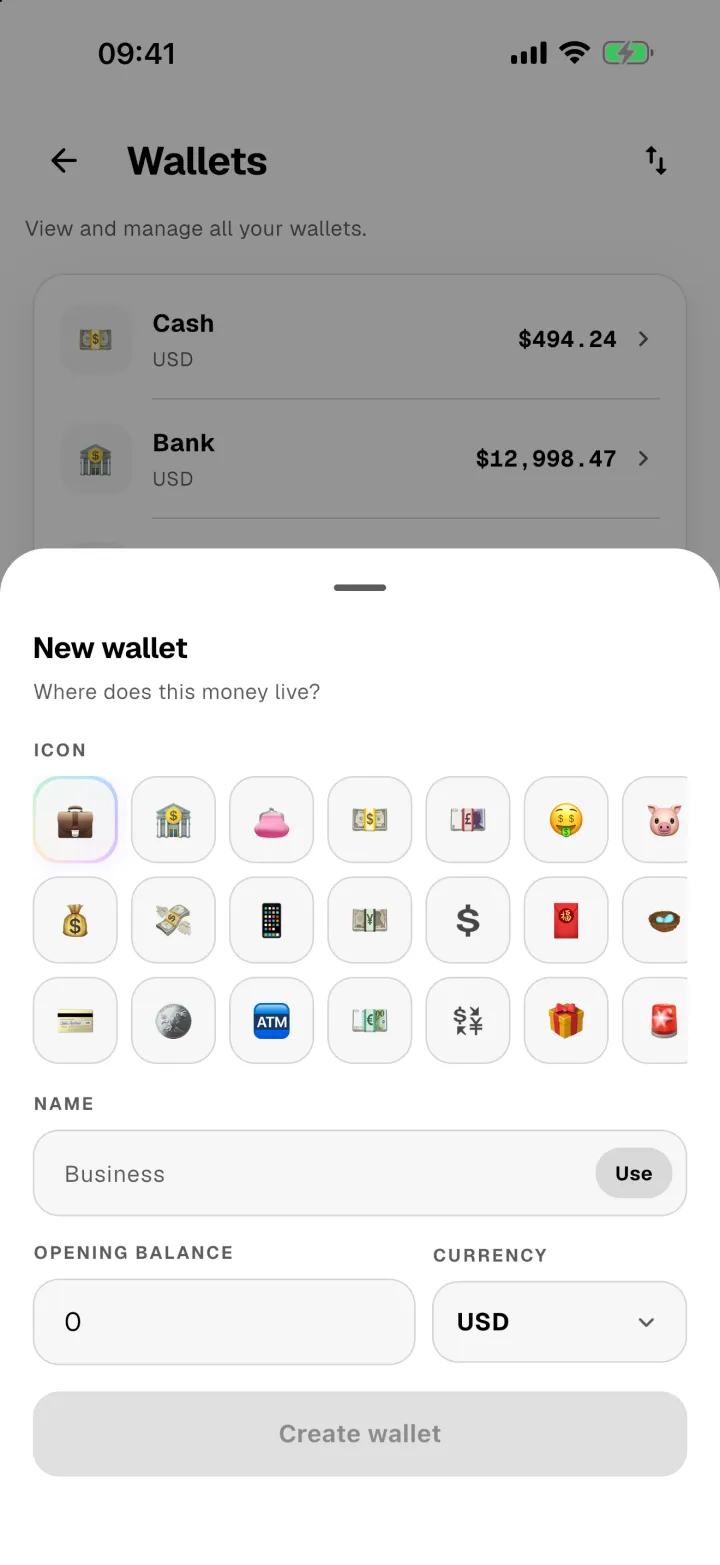
- Tap Create wallet.
- Pick an icon and give it a name.
- Enter what's in it today as the Opening balance, and choose its currency.
- Tap Create wallet.
Deleting a wallet
If a wallet still has transactions, Panda Money tells you exactly what will be removed and asks you to confirm first. Spending limits and reminders linked to it switch to "All wallets" instead of being deleted.