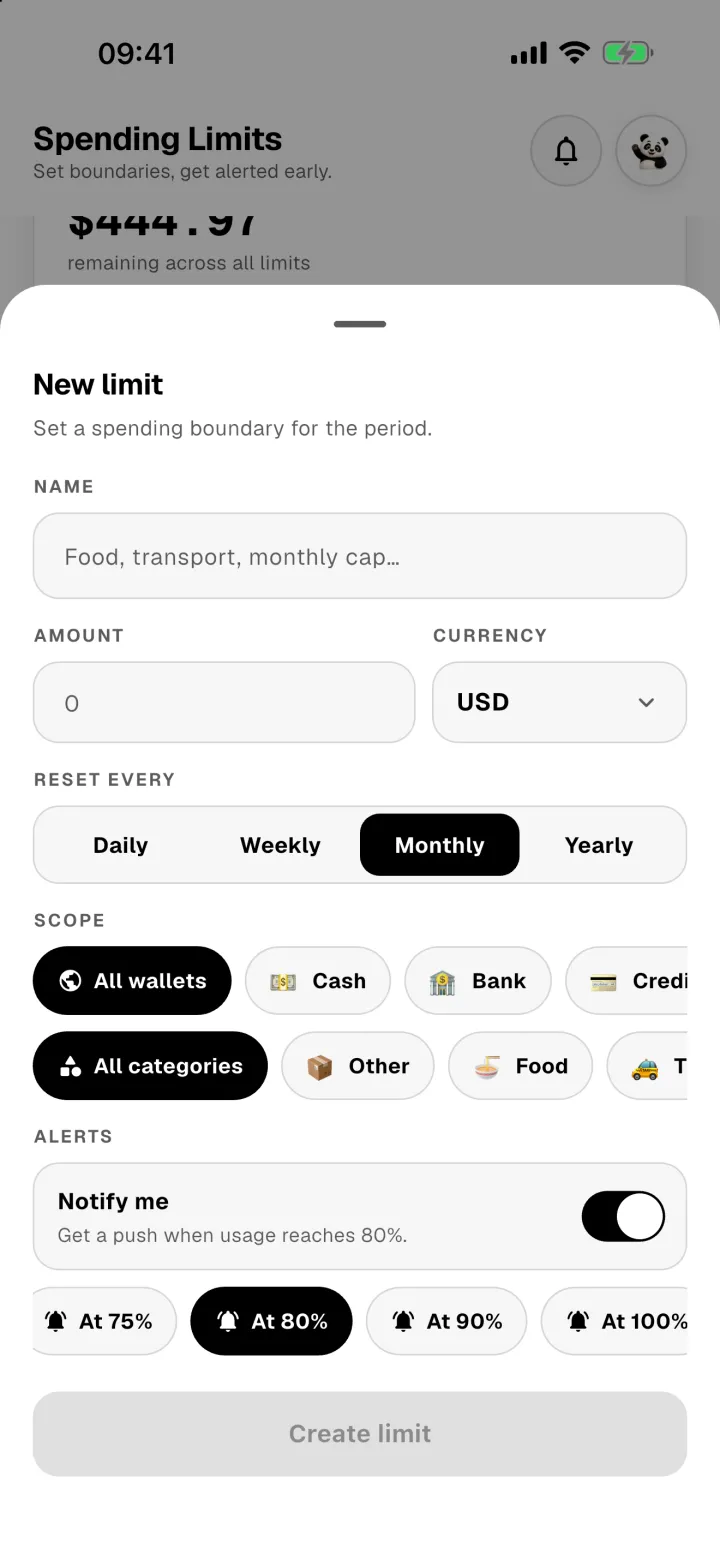
A spending limit is a budget for a period: a day, a week, a month or a year. Panda Money tracks it as you spend and warns you before you go over.
See how you're doing
The Spending limits tab shows what's left across all your limits this period, then each limit on its own.
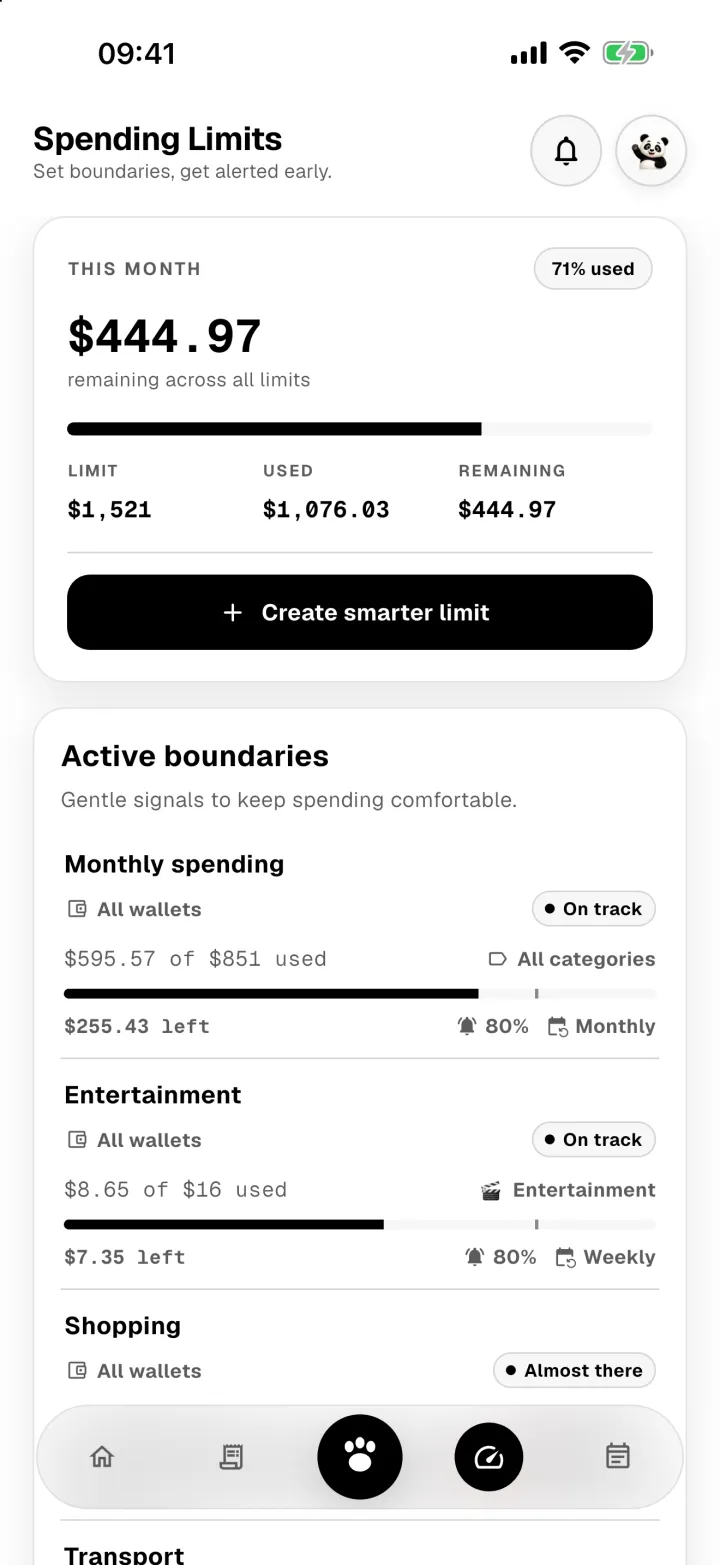
Each limit shows what you've spent, what's left, and a label like On track or Almost there. Refunds you record give money back to the limit.
Create a limit
- Tap Create smarter limit.
- Give it a name and an amount.
- Choose how often it resets: daily, weekly, monthly or yearly.
- Choose what it covers: all wallets or some, all categories or one.
- Turn on Notify me and pick when to be warned, for example at 80% used.
- Tap Create limit.