Made a mistake, got a refund, or buy the same thing every week? Every transaction has a menu for that.
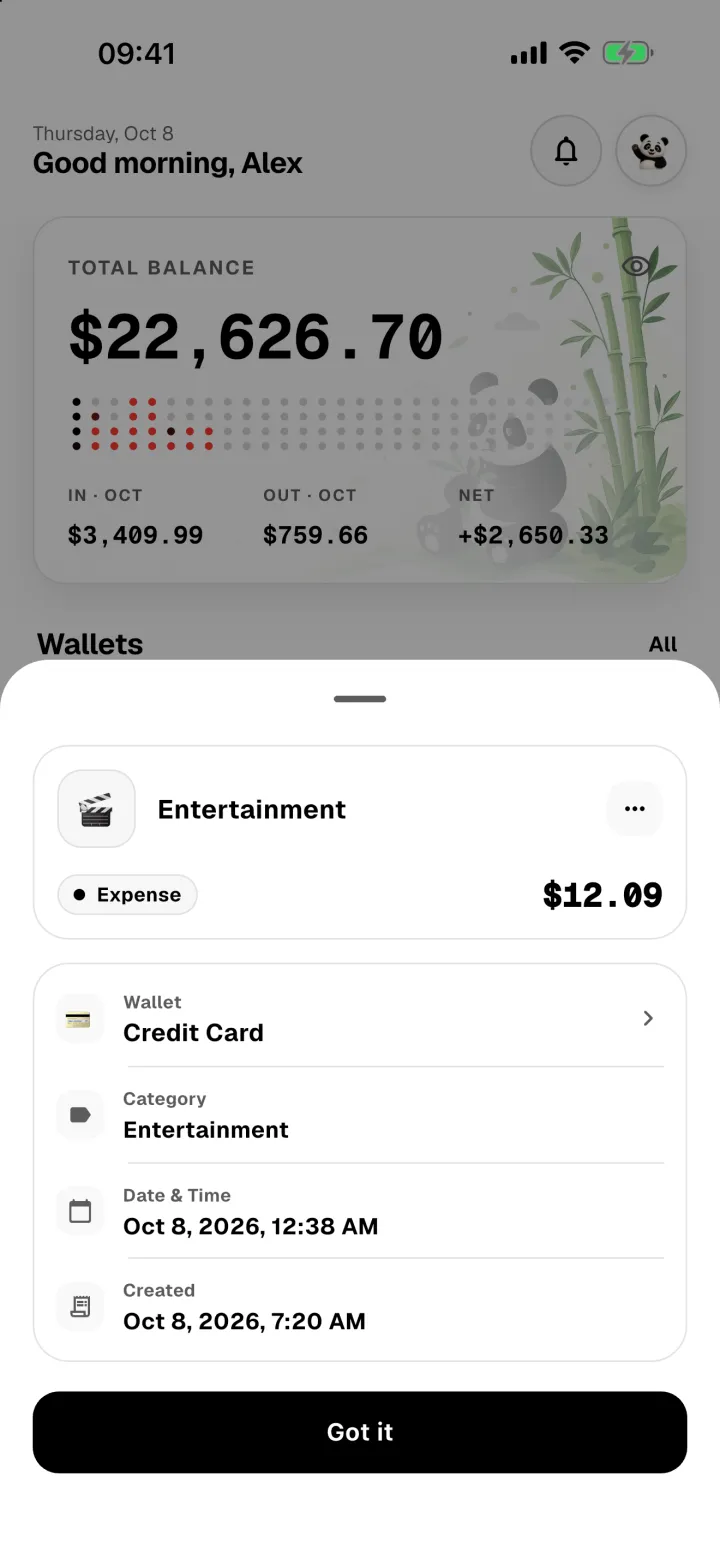
Open a transaction
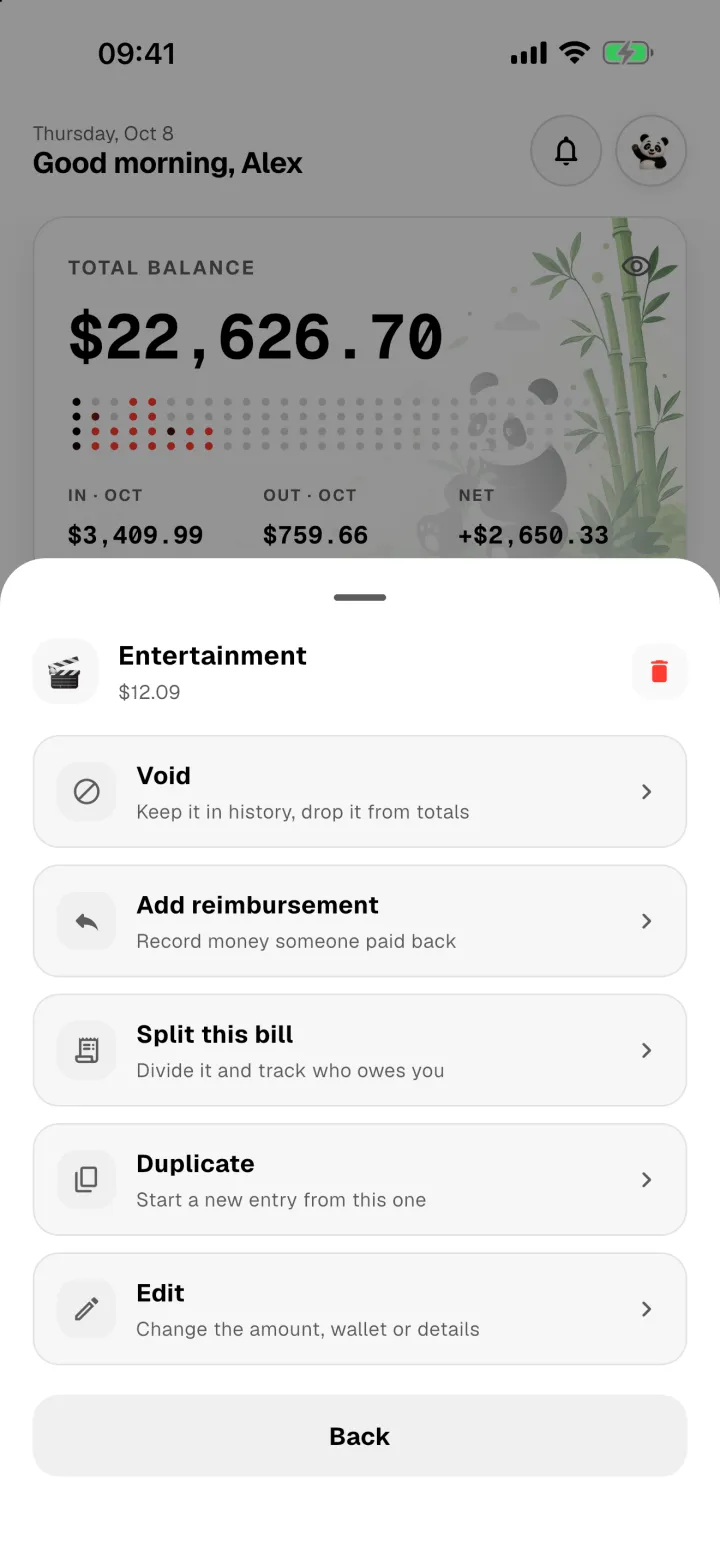
Tap any transaction in Activity, Home or a wallet to see its details, then tap ⋯ in the top corner.
Add a reimbursement
Got some or all of an expense back, as a shop refund or a friend paying you back? Record it from the expense itself, so the two stay linked.
- Open the expense and tap ⋯ → Add reimbursement.
- Enter how much came back. Remaining shows how much of the expense hasn't been paid back yet.
- Pick the wallet the money went into, and tap Add reimbursement.
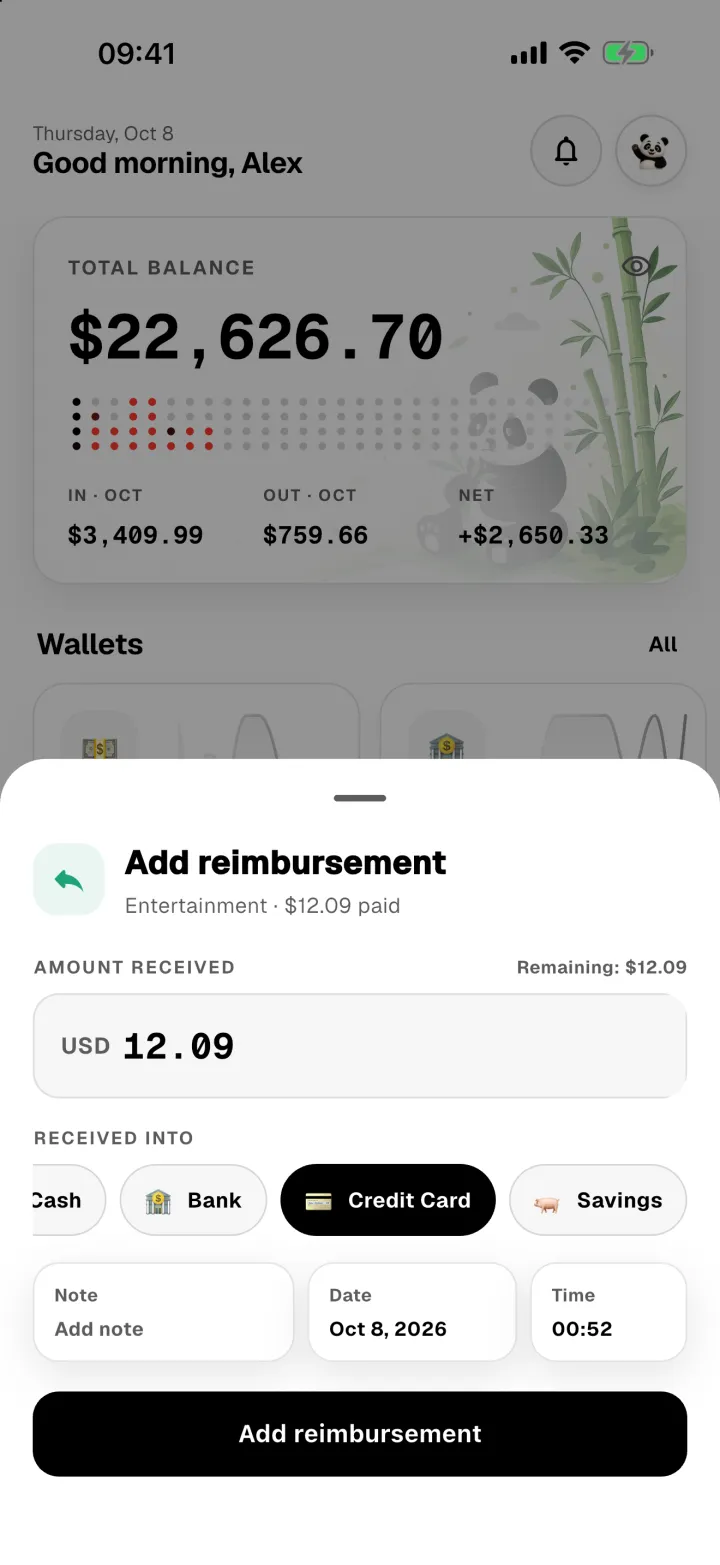
The money is added to that wallet, it uses the same category as the expense, and it gives that amount back to your spending limit. You can add several partial reimbursements until the whole expense is covered.
Duplicate
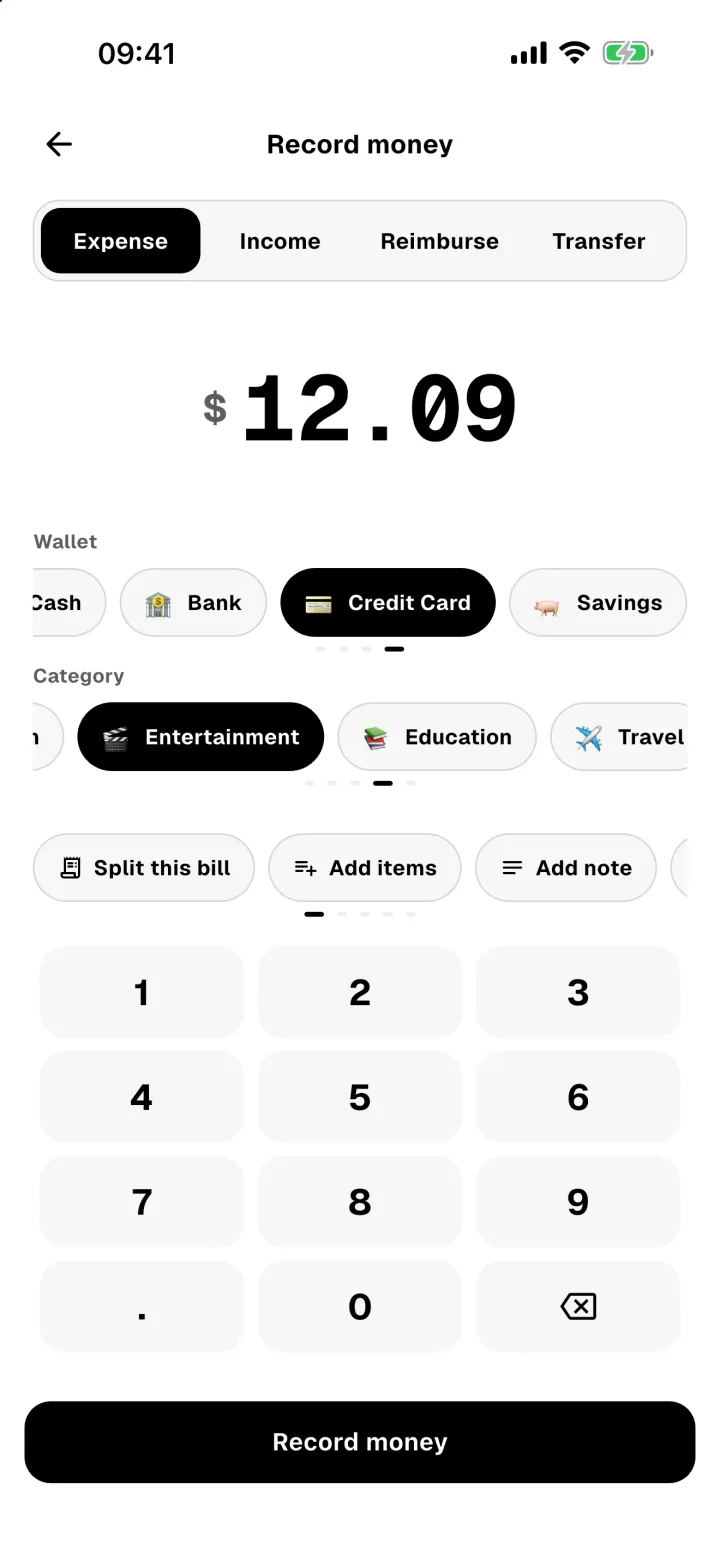
⋯ → Duplicate opens a new transaction already filled in with the same amount, wallet, category and note. Change anything you need, like the date, then tap Record money. It's handy for regular purchases.
Void, and restore
Voiding takes a transaction out of your balances and reports without deleting it. Use it for a payment that was cancelled or declined, or anything you're not sure about yet.
- Tap ⋯ → Void.
- Confirm with Void.
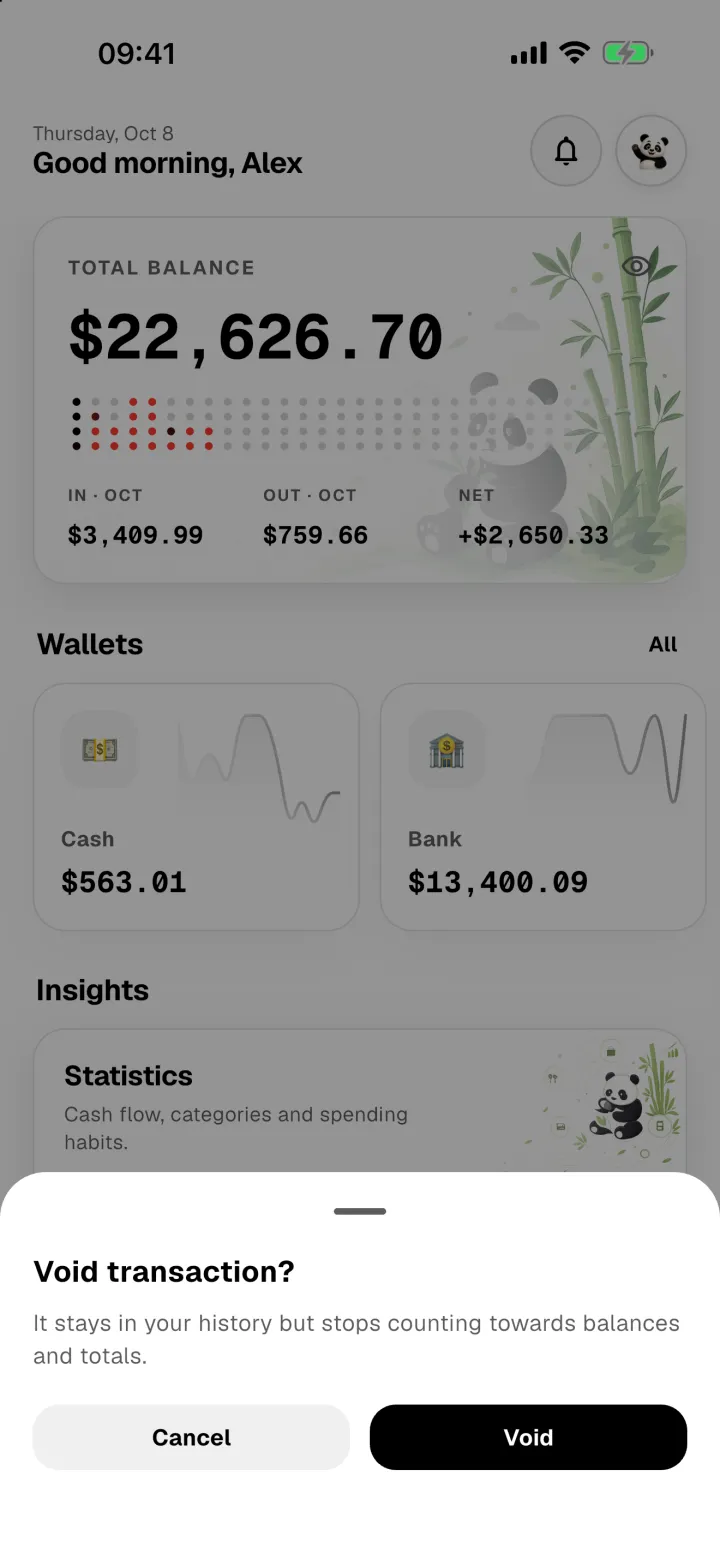
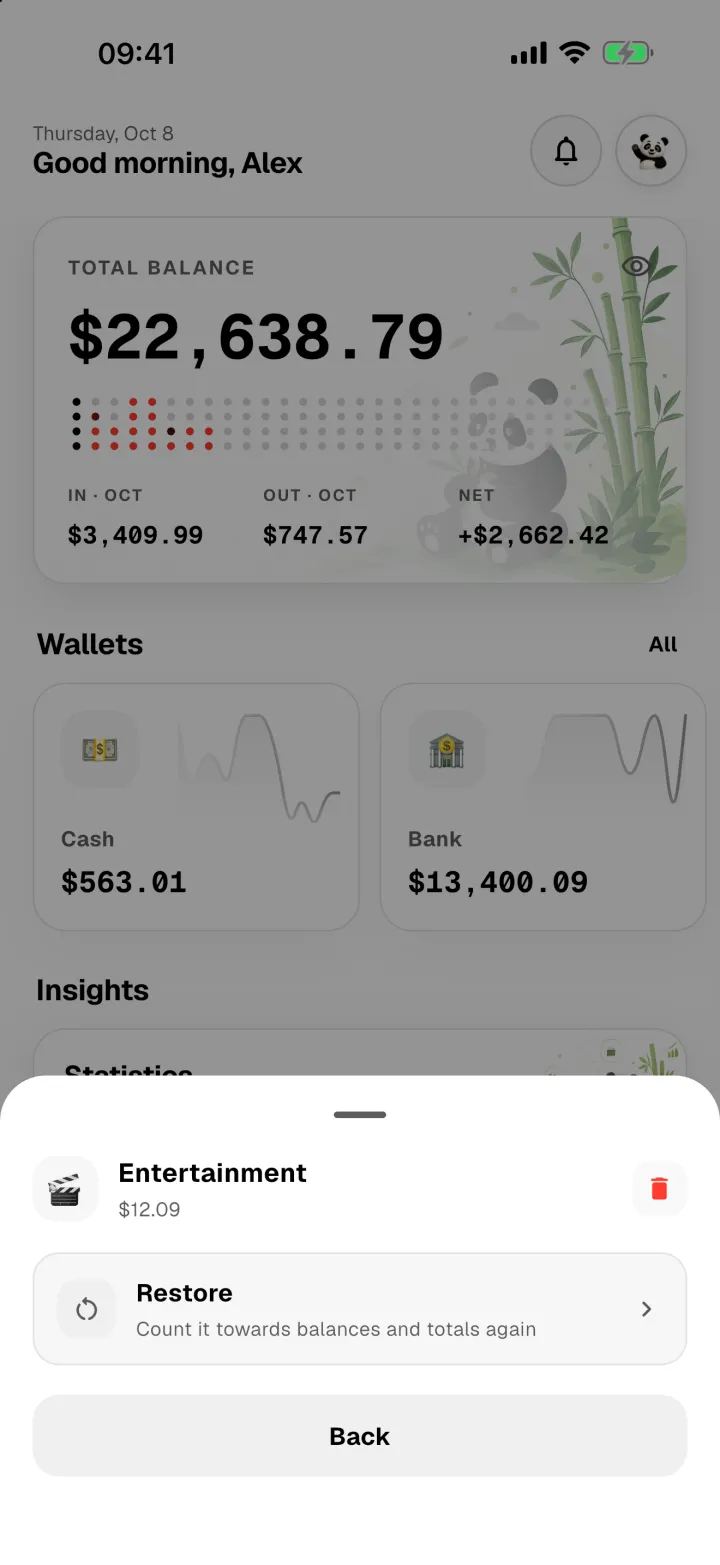
A voided transaction stays in your history so you can still see it, and the money goes back to its wallet. Changed your mind? Open it, tap ⋯ → Restore, and it counts again.
Edit, split or delete
- Edit changes the amount, wallet, category, date or note.
- Split this bill shares an expense you've already recorded with friends. See Split a bill.
- The bin icon deletes the transaction for good. If you might want it back, void it instead.